> For the complete documentation index, see [llms.txt](https://docs.2sj.ai/llms.txt). Markdown versions of documentation pages are available by appending `.md` to page URLs; this page is available as [Markdown](https://docs.2sj.ai/gemini/prompt/001-050.md).
# Banana 精选提示词001-050
为了第一时间看到最新案例,我们将倒序展示提示词
## 欢迎来到 Nano Banana 精选案例库!🤗
> 我们收集了 Nano Banana 在各个任务场景下生成的令人惊叹的图片和提示词,全方位展示Google在图像生成与编辑的无限可能。希望能帮助你更好地了解 Nano Banana。快一起解锁 Nano Banana 的多图融合与创意编辑力量吧!
## 🍌 Nano Banana 简介
Nano Banana(Gemini 2.5 Flash Image)是 Google 最新推出的先进图像生成和编辑模型。该模型可以将多幅图像融合成一幅图像,保持角色的一致性以呈现丰富的故事情节,使用自然语言进行有针对性的转换,并利用 Gemini 的世界知识来生成和编辑图像。
## ✨ Nano Banana 核心功能
* **🔍 多模态理解**:使用 Gemini 上传图像并分享文本指令,以创建复杂且详细的图像
* **💬 对话输入**:在创建图像时使用日常语言,并保持对话以完善模型生成的内容
* **🌍 现实世界知识**:借助 Gemini 的高级推理能力,生成遵循现实世界逻辑的图像
* **👤 角色一致性**:在多个提示和编辑中保持角色或物体的外观
* **✏️ 基于提示的图像编辑**:使用自然语言实现有针对性的转换和精确的本地编辑
* **🔄 多图像融合**:理解并合并多个输入图像
## 🎨 Nano Banana 案例
{% hint style="info" %}
所有案例主要来源于Twitter/X、小红书等自媒体网络平台,如有侵犯到你的合法利益,请联系我们删除。
{% endhint %}
***
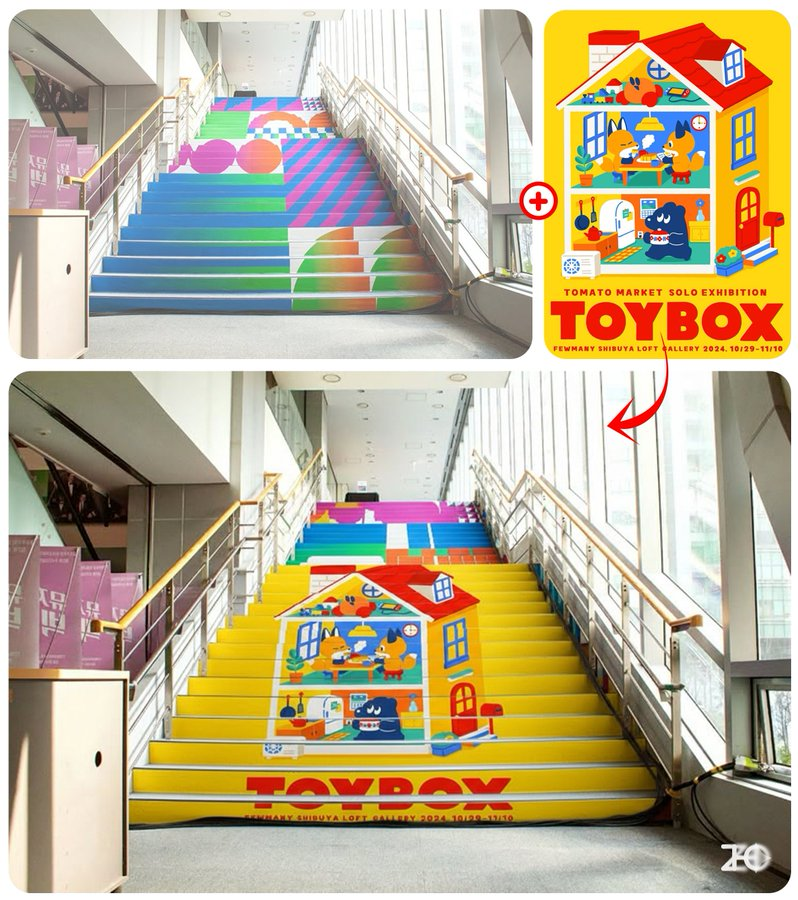
### 例0050:广告场景AI样机
> **提示词:**
>
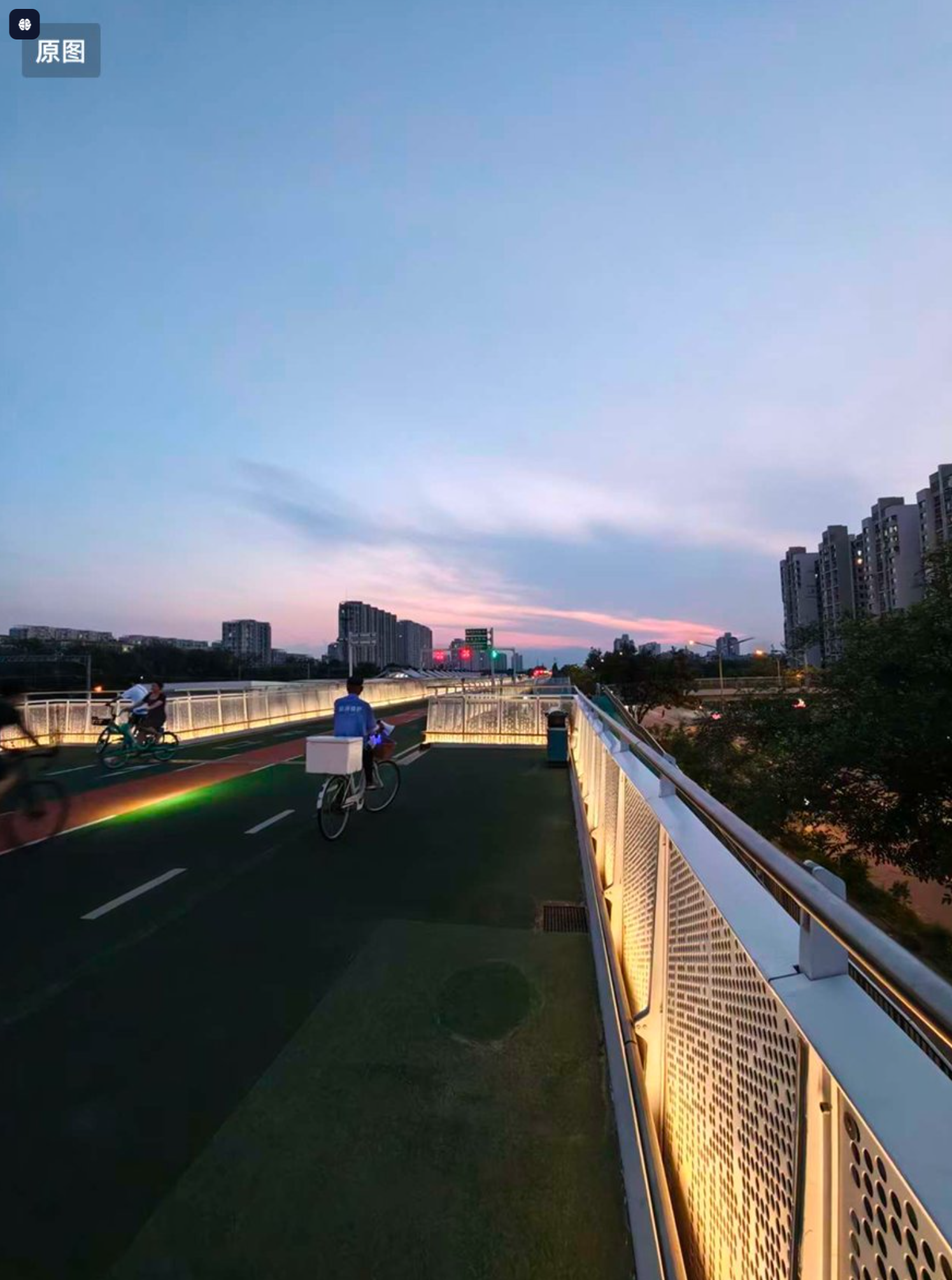
> 把图一海报贴在图二的大阶梯上,注意保持图二环境的光影效果
***
### 例0049:易拉罐AI样机
> **提示词:**
>
> 把图一贴在图二易拉罐上,并放在极简设计的布景中,专业摄影
***
### 例0048:广告牌曲面屏内容替换
> **提示词:**
>
> 把图一放在图二大屏幕上,撑满整个屏幕
{% hint style="info" %}
真能把图放曲面屏上啊,虽然还不能完美贴合,但这未来可期啊
{% endhint %}
***
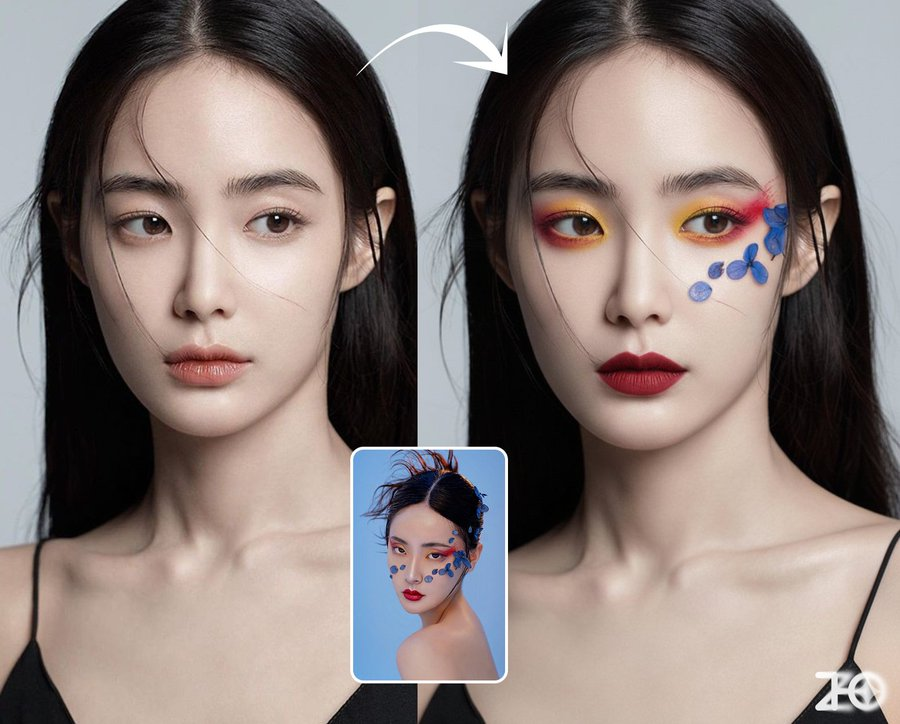
### 例0047:虚拟AI试妆
> **提示词:**
>
> 为图一人物化上图二的妆,请保持图一的姿势和面部皮肤细节
{% hint style="info" %}
可以指定妆面让人物试妆,由于模型对颜色无法做到 100% 准确,所以建议用作参考
{% endhint %}
***
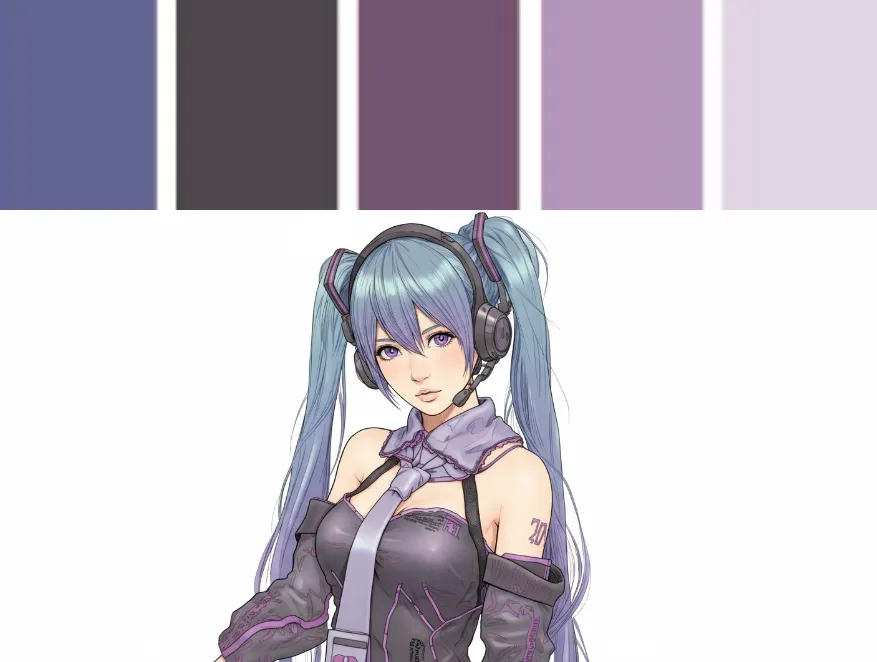
### 例0046:重新打光
> **提示词:**
>
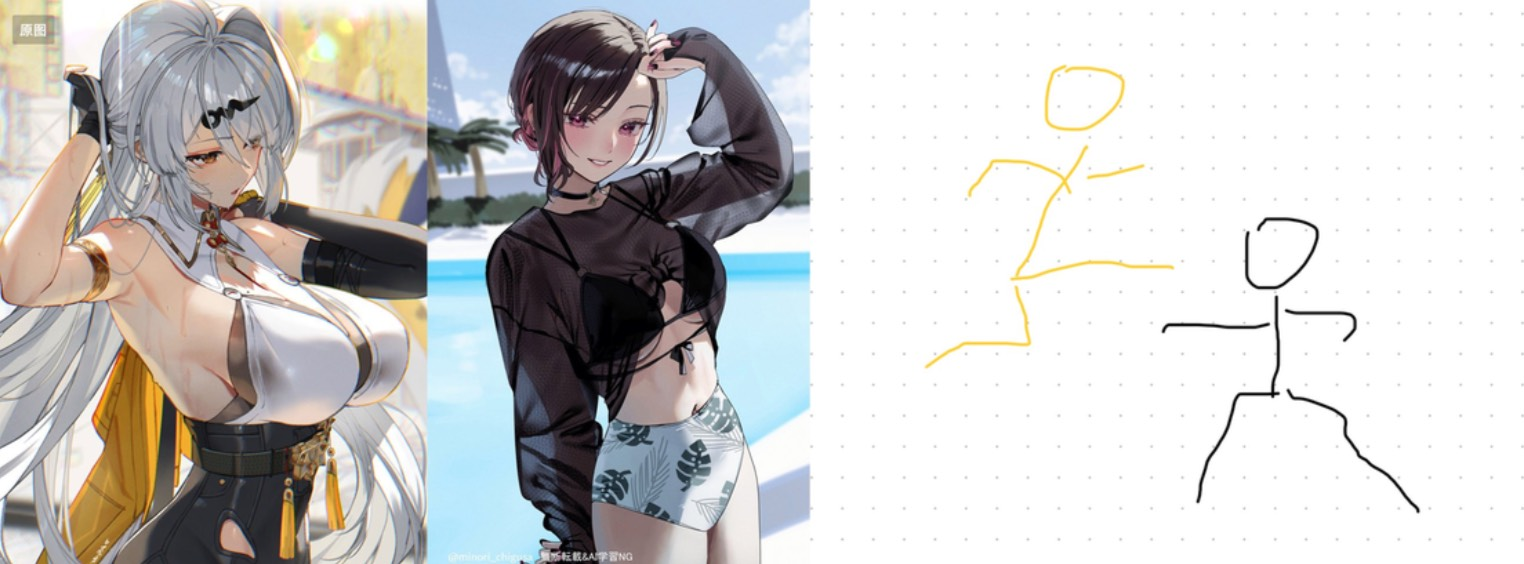
> 图一人物变成图二光影,深色为暗
{% hint style="info" %}
光影人偶:
魔法姿势:
更多照片风格可以参考:
{% endhint %}
***
### 例0045:人物妆面分析
> **提示词:**
>
> Analyze this image. Use red pen to denote where you can improve
***
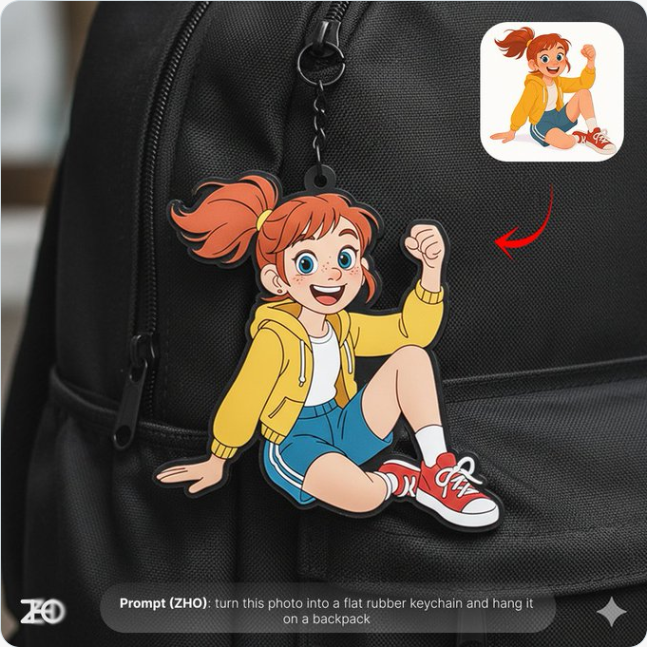
### 例0044:个性化定制挂件
> **提示词:**
>
> 中文: 把这张照片变成一个可爱挂件/亚克力材质的扁平钥匙扣/橡胶材质的扁平钥匙扣 挂在 lv 包包/图二照片的包包上
>
> English: Turn this photo into a cute charm / a flat acrylic keychain / a flat rubber keychain to hang on an LV bag / the bag in photo 2.
{% hint style="info" %}
效果帅炸了!它真的理解了"不规则分割"和"清晰边界"的意思。这种真人与二次元碰撞的风格,艺术感和视觉冲击力直接拉满。拿来做海报、社交媒体头像,绝对是回头率最高的那个。
{% endhint %}
{% columns %}
{% column %}
{% endcolumn %}
{% column %}
{% endcolumn %}
{% endcolumns %}
***
### 例0043:精致卡片设计
> **提示词:**
>
> 按照我的图一名片设计稿的构图和质感,为我的图二人物生成卡片 卡片右上角为可爱卡通形象,突出于卡片
>
> name: Nani
>
> Occupation:artist
***
### 例0042:真人照片变手办模型
> **提示词:**
>
> 把照片的人物转换为手办,要求人物和人物细节动作都保持一致,在室内的桌子上,背后有一个手办的盒子印了这张照片,电脑有这个手办建模的blender,室内背景是二次元装饰
***
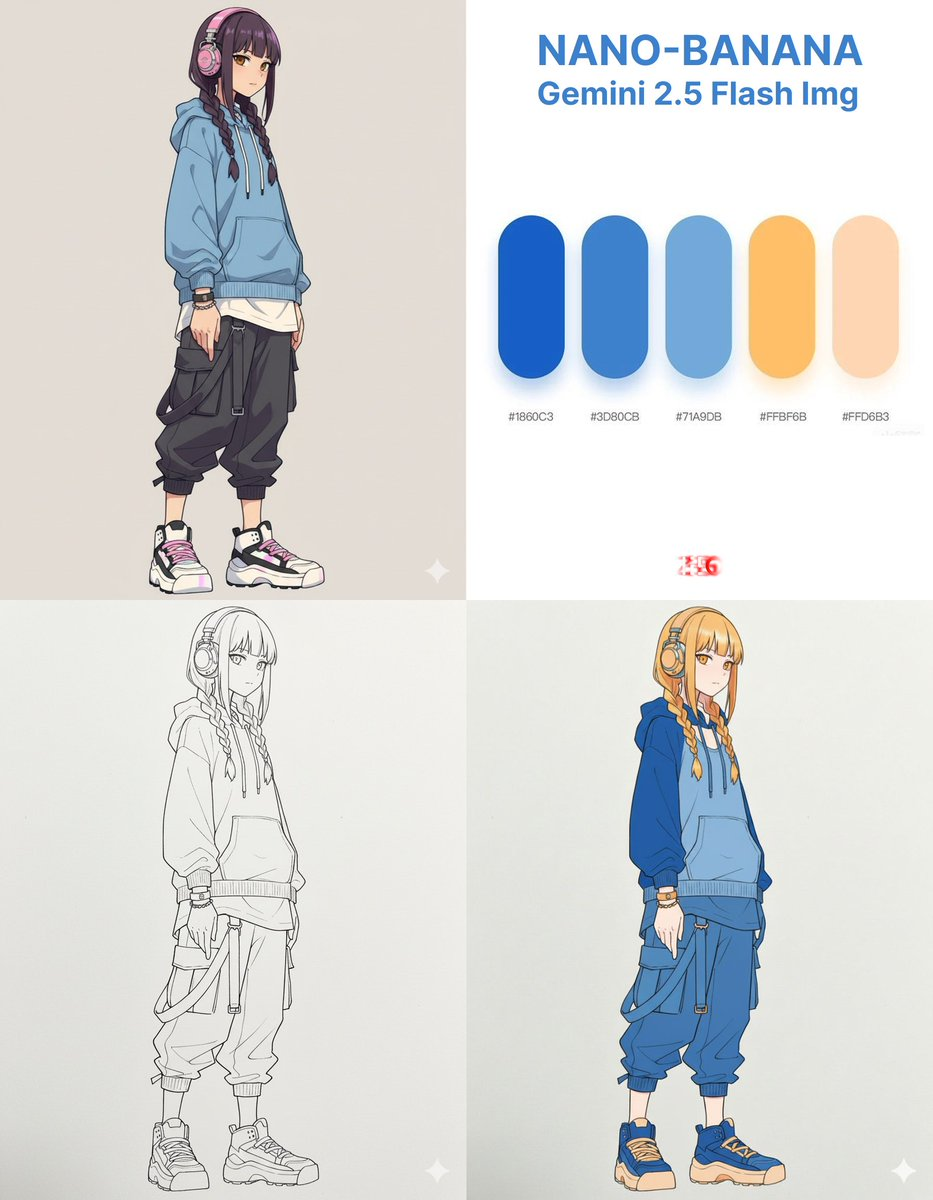
### 例0041:线稿图上色+辅助线/分析
> **提示词:**
>
> turn this photo into 马克笔画/水彩画
***
### 例0040:照片变插画和绘画过程
> **提示词:**
>
> 为人物生成绘画过程四宫格,第一步:线稿,第二步平铺颜色,第三步:增加阴影,第四步:细化成型。不要文字
***
### 例0039:线稿图渲染人物
> **提示词:**
>
> Transform the line art from \[Sketch image] into a hyper-realistic photograph. Render a female model with realistic skin textures and natural hair flow. The clothing should be made of a soft, cotton-like material, matching the sketch's design. The lighting should be soft and natural, as if from a large window. The final image must look like a professional fashion magazine shot.
***
### 例0038:线稿图渲染实物
> **提示词:**
>
> turn this illustration into realistic version
{% hint style="info" %}
非常擅长做写实转换,非常适合做 插画/手稿/设计图 转 写实/渲染/效果图
{% endhint %}
***
### 例0037:珠宝AI试戴
> **提示词:**
>
> The woman in Figure 2 is wearing the necklace from Figure 1,Do not change the details of other Figure 2.
{% hint style="info" %}
💎 电商级别的珠宝试戴
📏 解决了 Flux 中不知道产品尺寸的问题
🛍️ 非常适合在线珠宝购物
{% endhint %}
***
### 例0036:精准场景元素替换
> **提示词:**
>
> Place the chair and table from the first image at the red box location in the second image, and generate the image without the red box markings.
{% hint style="info" %}
🛒 电子商务必备 - 出色地维护产品 ID 和功能
📦 在第一张图片中圈出要替换的物品,在第二张图片中放置替换物品
🎯 非常适合产品可视化和目录管理
{% endhint %}
***
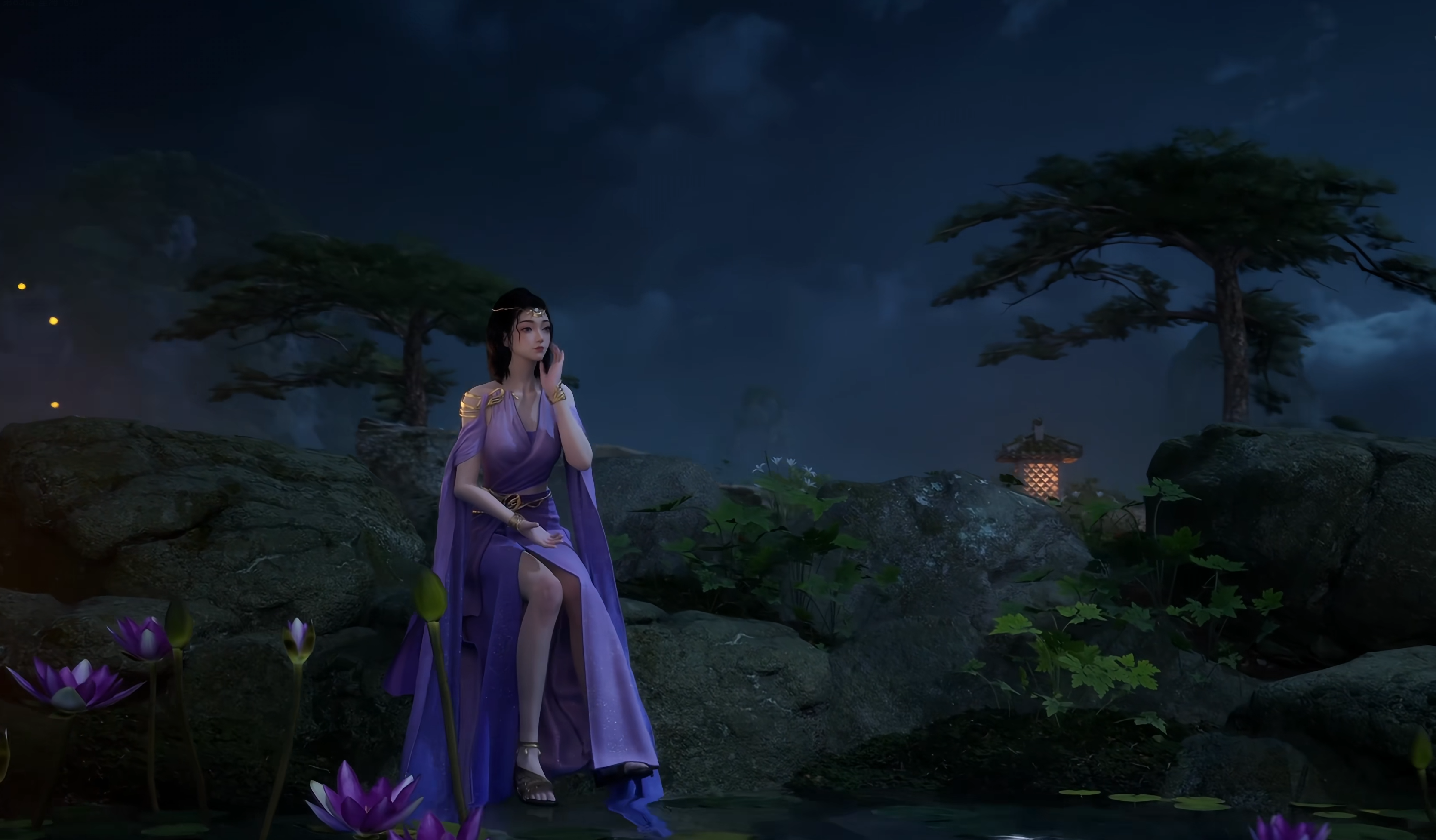
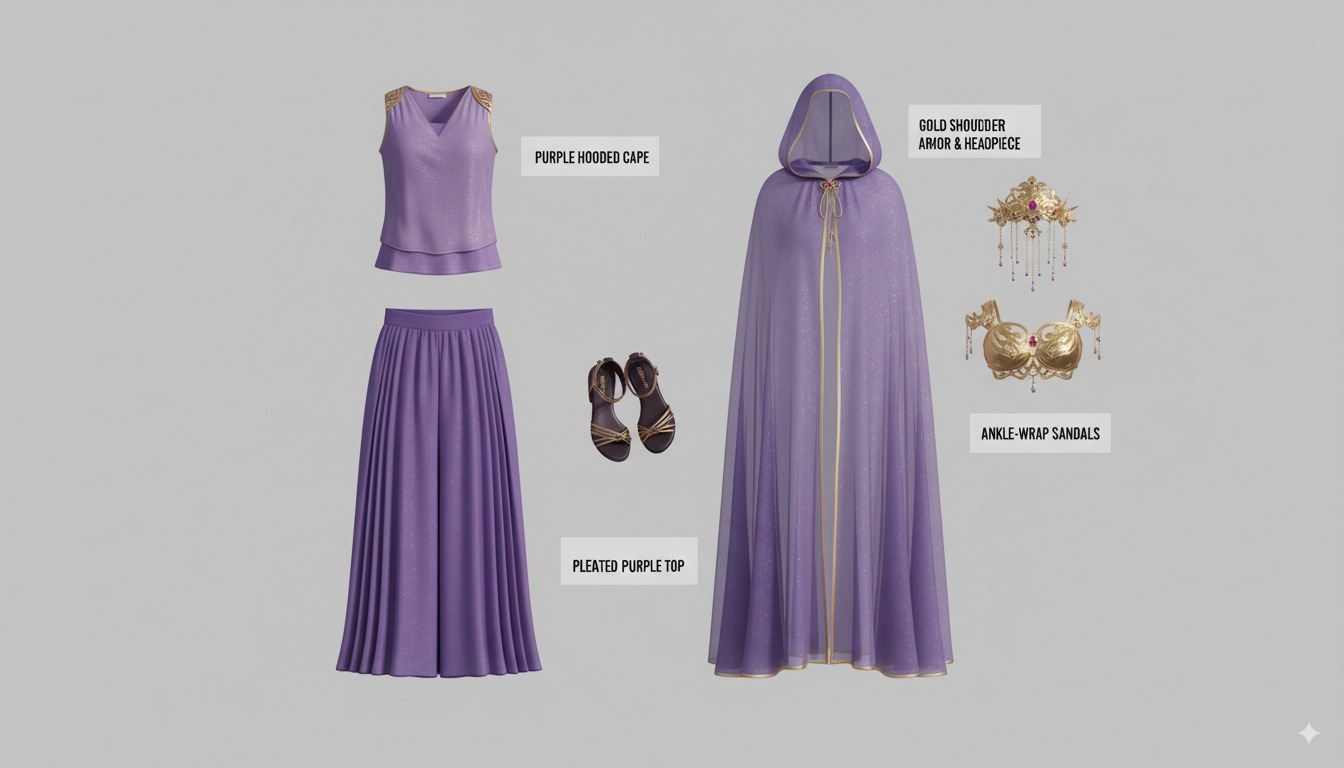
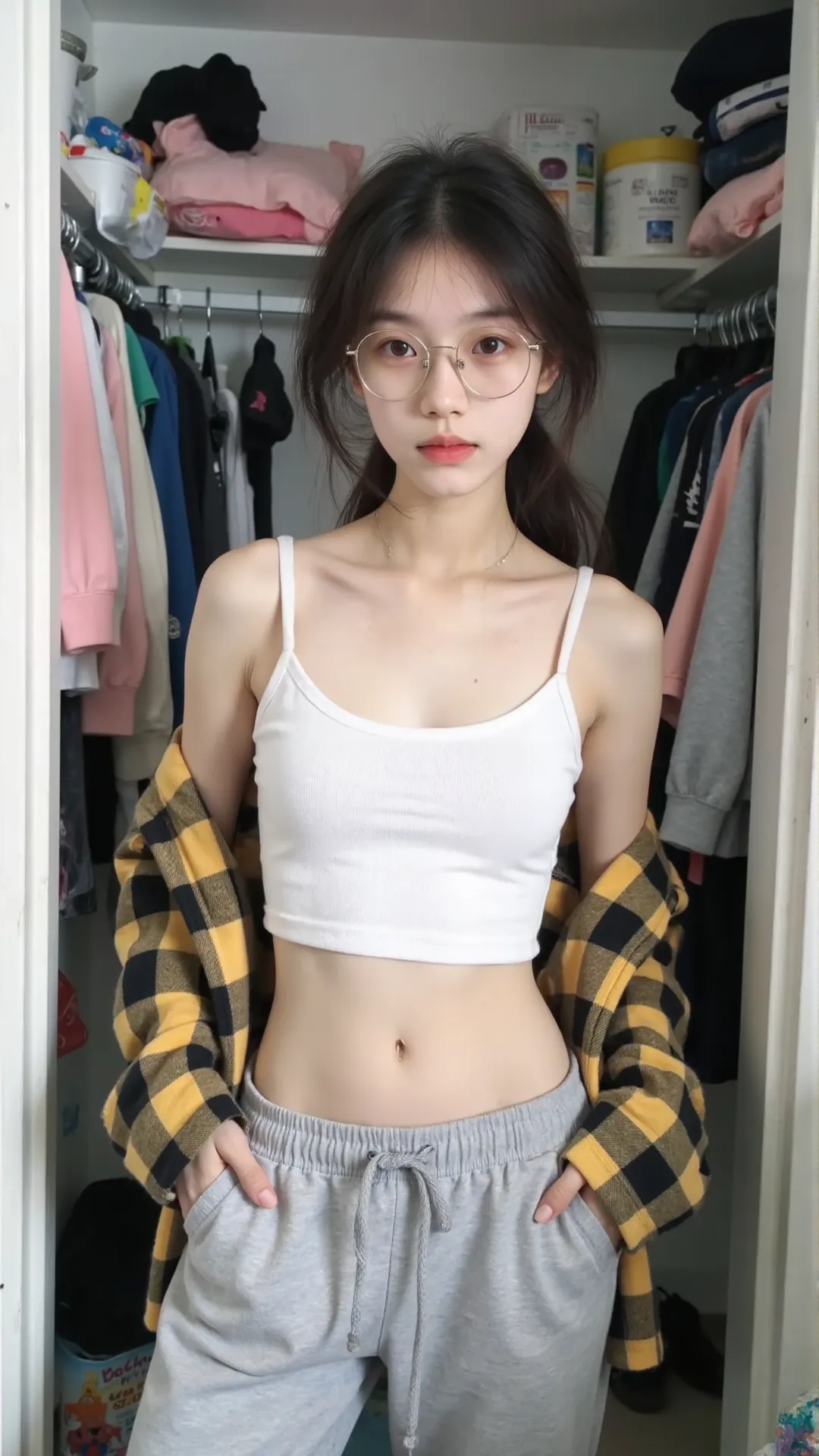
### 例0035:虚拟AI试穿
> **提示词:**
>
> The character in Figure 2 is wearing the clothing and accessories from Figure 1.
{% hint style="info" %}
🛍️ 足不出户即可试穿任何服装
🎨 非常适合复古动漫和照片修复
👤 更换服装时保持角色的一致性
{% endhint %}
***
### 例0034:AI菜谱生成
> **提示词:**
>
> Turn the ingredients in the picture into a complete step-by-step recipe infographic, using a top-down perspective. Present it in a minimalist style on a white background. Include labeled photos of the ingredients, use dashed lines to connect icons representing the preparation steps, and display a photo of the final plated dish at the bottom of the infographic,At the same time, remove the background from the food items that have a background in the image and place the food on a white background.
{% hint style="info" %}
🥘 将任何食材转换成完整的食谱信息图
🍽️ 完美解决烹饪犹豫不决的问题
📋 创建具有专业外观的食谱卡,并提供分步说明
{% endhint %}
***
### 例0033:3D 建筑渲染
> **提示词:**
>
> Prompt1:Help me convert this residential floor plan into an isometric photorealistic 3D rendering of the house.
>
> Prompt2:Help me generate a realistic photo looking from the dining table towards the bathroom, which must comply with the house layout in the design plan, and appropriate decorations can be added.
{% hint style="info" %}
🏠 Nano Banana 可以处理室内设计可视化
📐 根据平面图生成 3D 渲染,然后创建特定的透视图
🏢 非常适合房地产和建筑演示
{% endhint %}
***
### 例0032:微型产品照片
> **提示词:**
>
> A high-resolution advertising photograph of a realistic, miniature \[PRODUCT] held delicately between a person's thumb and index finger. clean and white background, studio lighting, soft shadows. The hand is well-groomed, natural skin tone, and positioned to highlight the product's shape and details. The product appears extremely small but hyper-detailed and brand-accurate, centered in the frame with a shallow depth of field. Emulates luxury product photography and minimalist commercial style.
{% hint style="info" %}
🎯 使用 Nano Banana 创建看起来像高端广告的微型、可爱的产品照片
💎 非常适合广告设计和分享
{% endhint %}
***
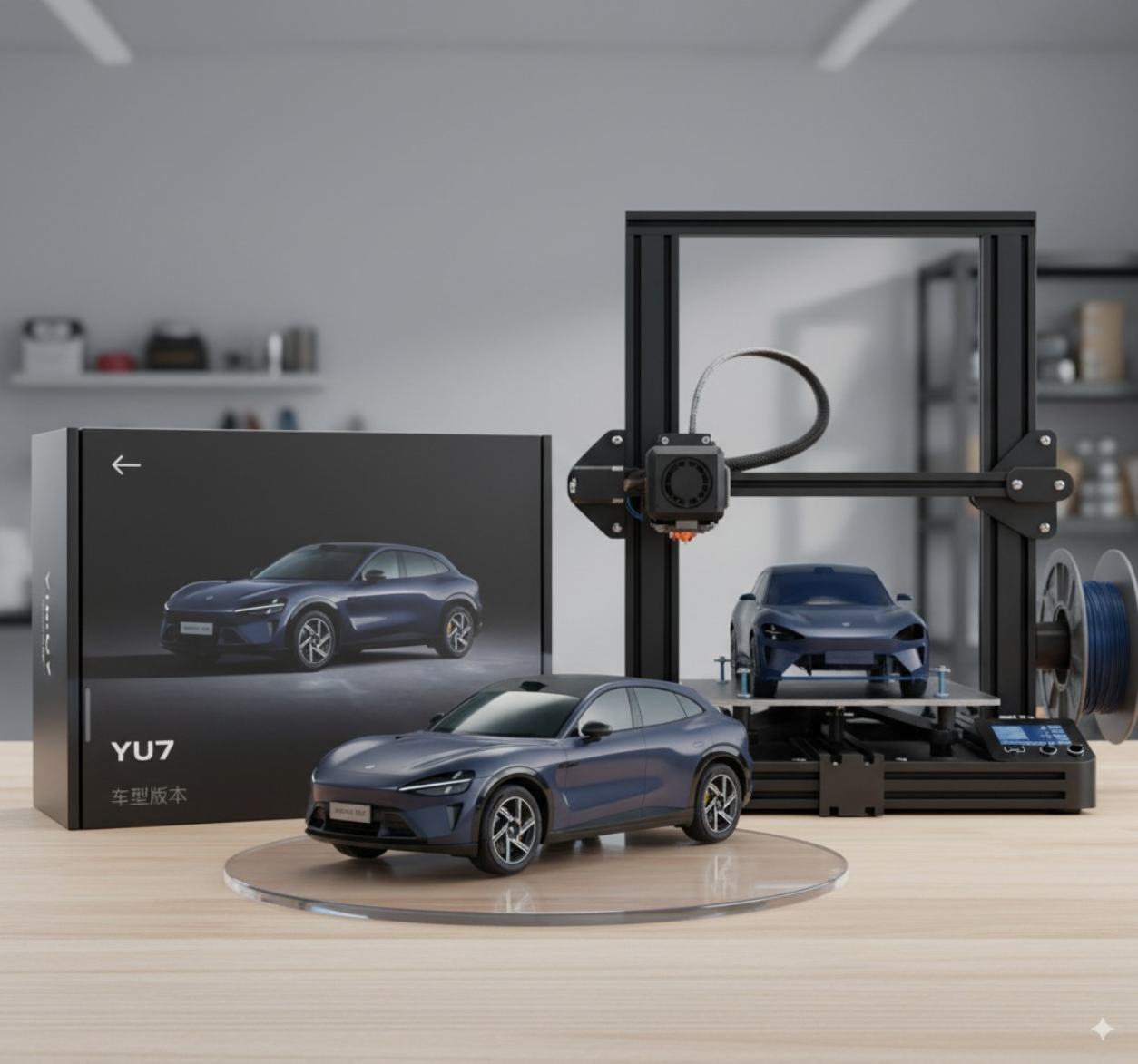
### 例0031:3D打印机
> **提示词:**
>
> Please transform this car rendering into a collectible figurine.
>
> Behind it, place a figurine box printed with the car's image and the name "Xiaomi YU7." Next to it, add a high-end 3D printer that is currently printing the figurine. In front of the figurine box, add a round plastic base for the figurine to stand on.
>
> The PVC material of the base should have a crystal-clear, translucent texture, and set the entire scene indoors.
{% hint style="info" %}
注意关于汽车和品牌的词语,自己使用时需要替换,您可以尝试添加更多细节!
{% endhint %}
***
### 例0030:游戏角色选择肖像与风格服装UI界面2
> **提示词:**
>
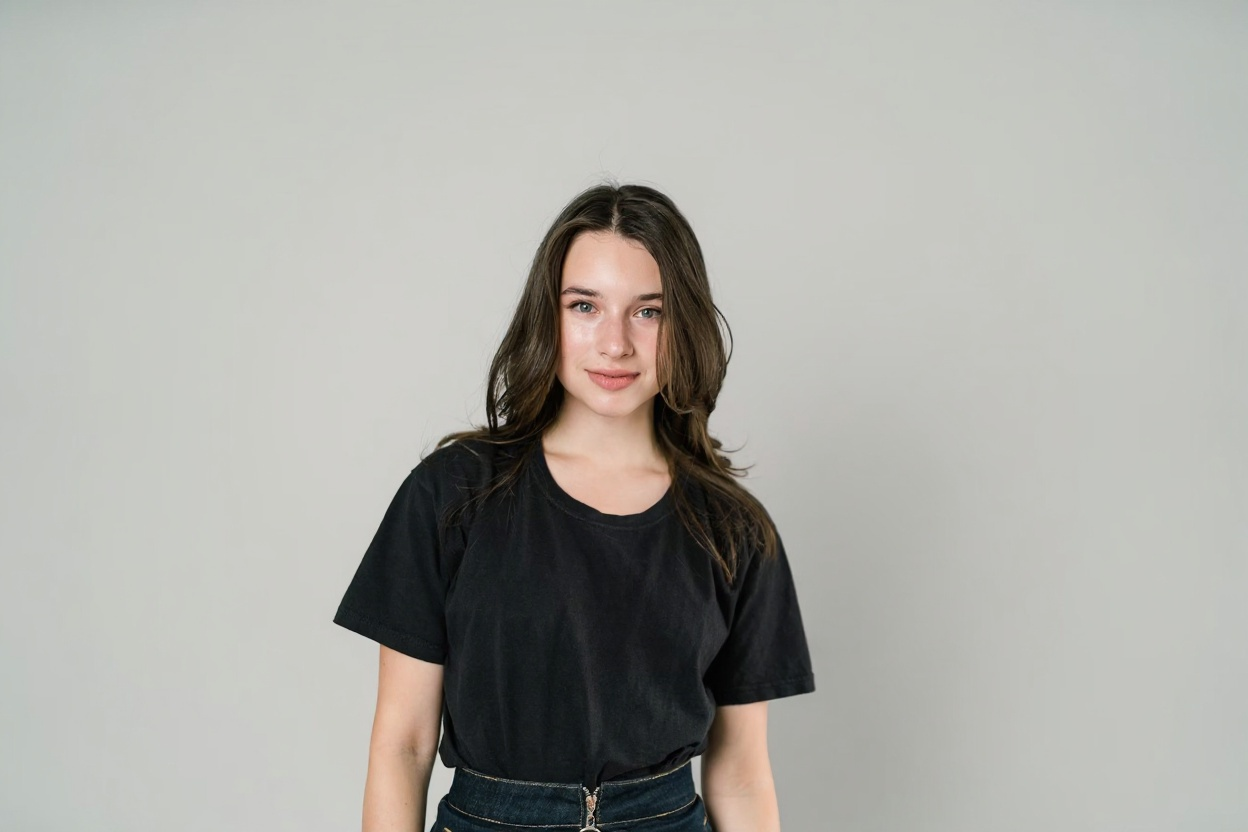
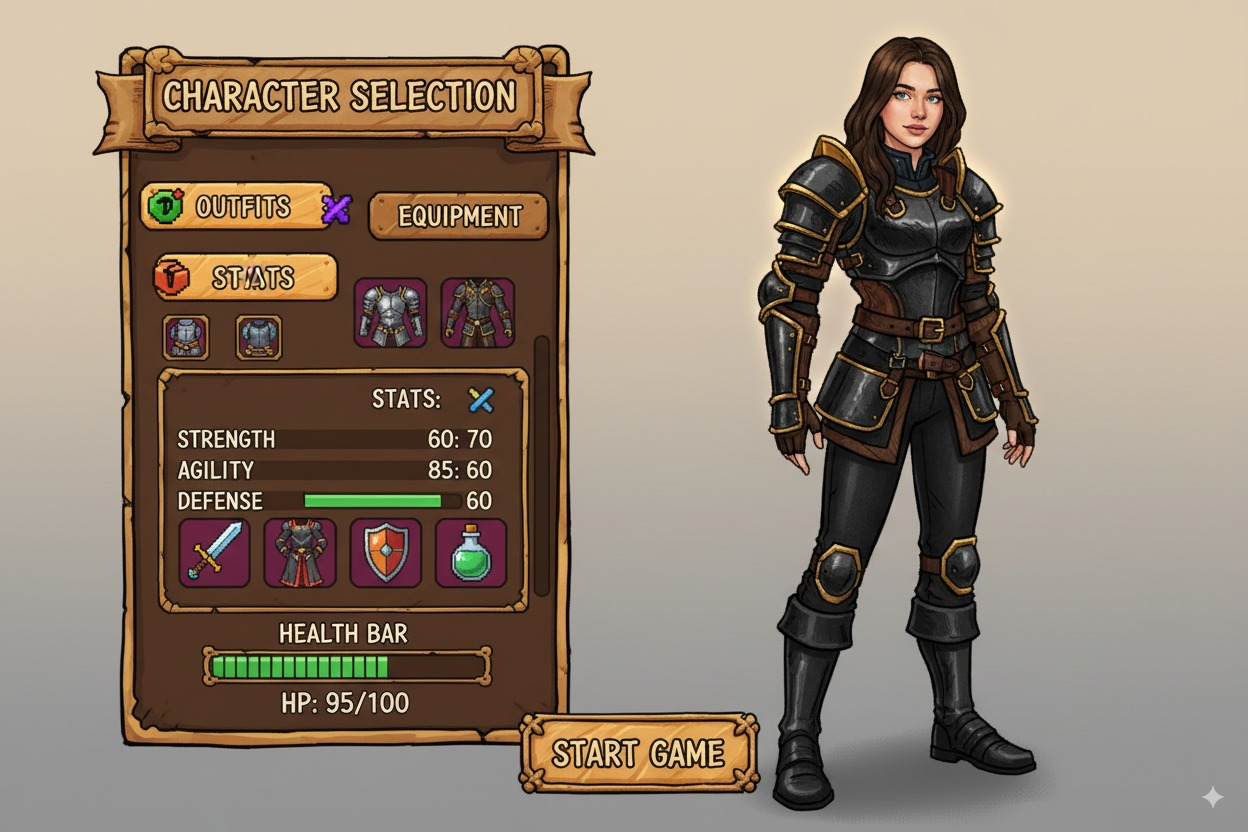
> Transform the input person image into a classic mobile game character selection interface. Display the character on the right side as a full-body portrait, standing upright at a 45-degree angle facing both the screen and the left-side selection module, mimicking a selected state in a classic mobile game. Retain the person image's facial features, expression, and hairstyle, but adapt the clothing to a classic mobile game style (e.g., fantasy warrior armor, medieval robes, or adventurer outfits with hand-drawn or pixelated textures, avoidingdine avoiding modern sci-fi or high-tech elements), preserving the original clothing's color scheme and general aesthetic. If the input is a half-body image, seamlessly complete the lower body, matching the game-style clothing and proportions. On the left side, present a classic mobile game-style interface with selectable options including game-style clothing variations (e.g., knight armor, mage robes, rogue gear), martial stats (e.g., strength, agility), equipment (e.g., swords, staffs, bows), and health points, styled as interactive hand-drawn or pixelated UI elements with bold, colorful designs typical of classic mobile games. Arrange the layout to mimic a mobile game character selection screen, with a smooth, unified background gradient (e.g., warm beige to soft gray) for a cohesive, natural transition. Use vibrant, slightly desaturated colors, consistent lighting, and subtle glow effects to evoke a nostalgic, classic hand tour game aesthetic while maintaining the character's real-world facial essence.
{% hint style="info" %}
**需上传人物照片**
{% endhint %}
***
### 例0029:游戏角色选择肖像与风格服装UI界面1
> **提示词:**
>
> Transform the input person image into a game character selection interface. Display the character on the right side as a full-body portrait, standing upright at a 45-degree angle facing both the screen and the left-side selection module, mimicking a selected state in a video game. Retain the person image's facial features, expression, and hairstyle, but adapt the clothing to a game-inspired style (e.g., fantasy armor, sci-fi suit, or RPG adventurer outfit) with intricate details, vibrant textures, and thematic accessories, while preserving the original clothing's color scheme and general aesthetic. If the input is a half-body image, seamlessly complete the lower body, matching the game-style clothing and proportions. On the left side, present a sleek interface with selectable options including game-style clothing variations (e.g., different armor sets, robes, tactical gear), martial stats (e.g., strength, agility), equipment (e.g., swords, gadgets, shields), and health points, styled as interactive game UI elements with clear labels and modern design. Arrange the layout to mimic a video game character selection screen, with a smooth, unified background gradient (e.g., dark blue to soft gray) for a cohesive, natural transition across the image. Use consistent, cinematic lighting and subtle glow effects to enhance the game-like atmosphere while maintaining the character's real-world facial essence.
{% hint style="info" %}
**需上传人物照片**
{% endhint %}
{% columns %}
{% column %}
{% endcolumn %}
{% column %}
{% endcolumn %}
{% endcolumns %}
***
### 例0028:现实/漫画脸部融合
> **提示词:**
>
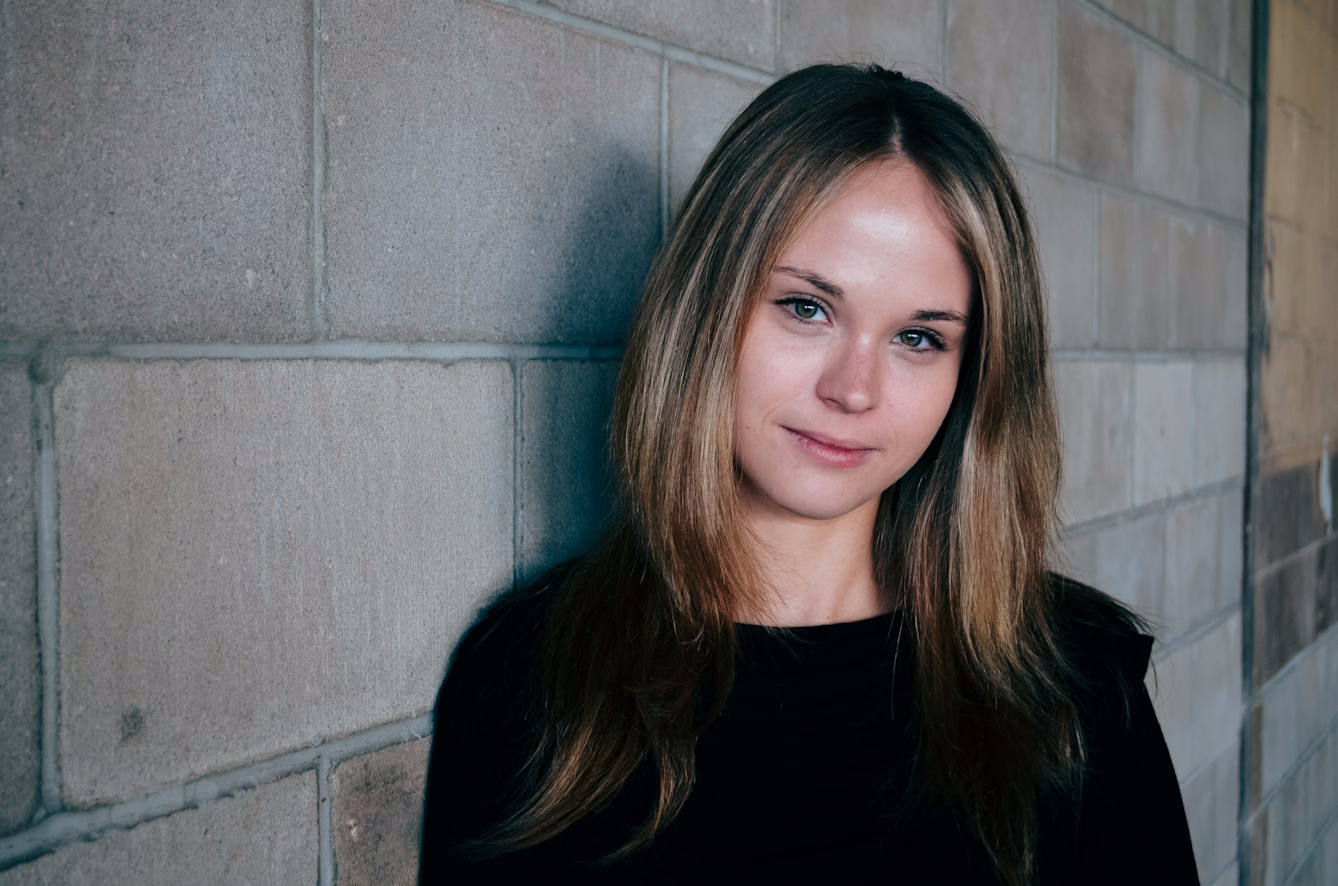
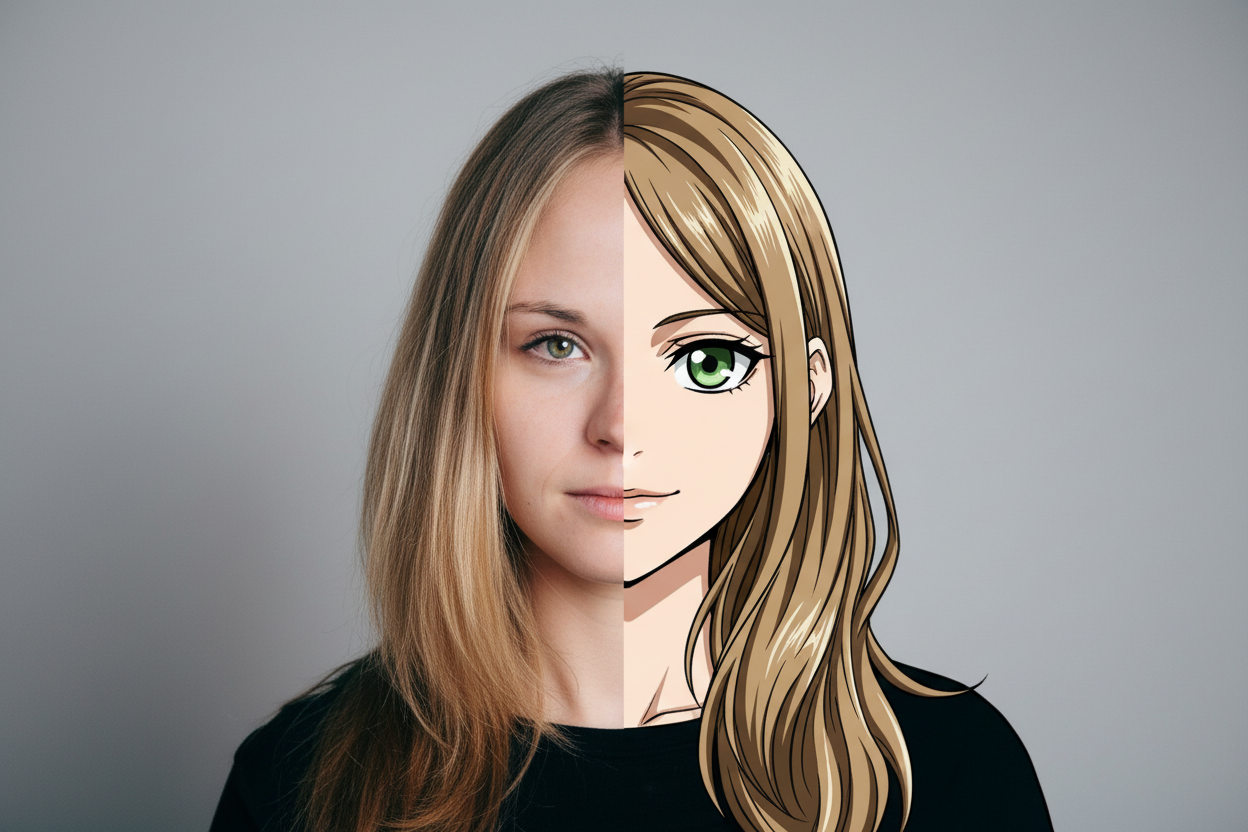
> A striking, high-definition frontal portrait of the character from the input photo, with the face perfectly centered. The image blends two styles seamlessly: the left half retains the character's original realistic appearance, including detailed skin textures, natural lighting, and exact facial features from the input image, while the right half transitions into a vibrant manga-style version, featuring bold outlines, expressive eyes, and stylized features typical of high-quality anime art, while preserving recognizable traits (e.g., hair shape, facial structure). The transition between the realistic and manga halves is smooth and gradual, with no visible dividing line, ensuring a natural, cohesive fusion at the center of the face. The blending emphasizes the contrast between realistic and manga aesthetics while maintaining a unified appearance. The background is a neutral, solid color (e.g., soft gray or white) to highlight the fusion effect, with consistent lighting to enhance the artistic impact and no harsh separation.
{% hint style="info" %}
**需上传人物照片**
{% endhint %}
***
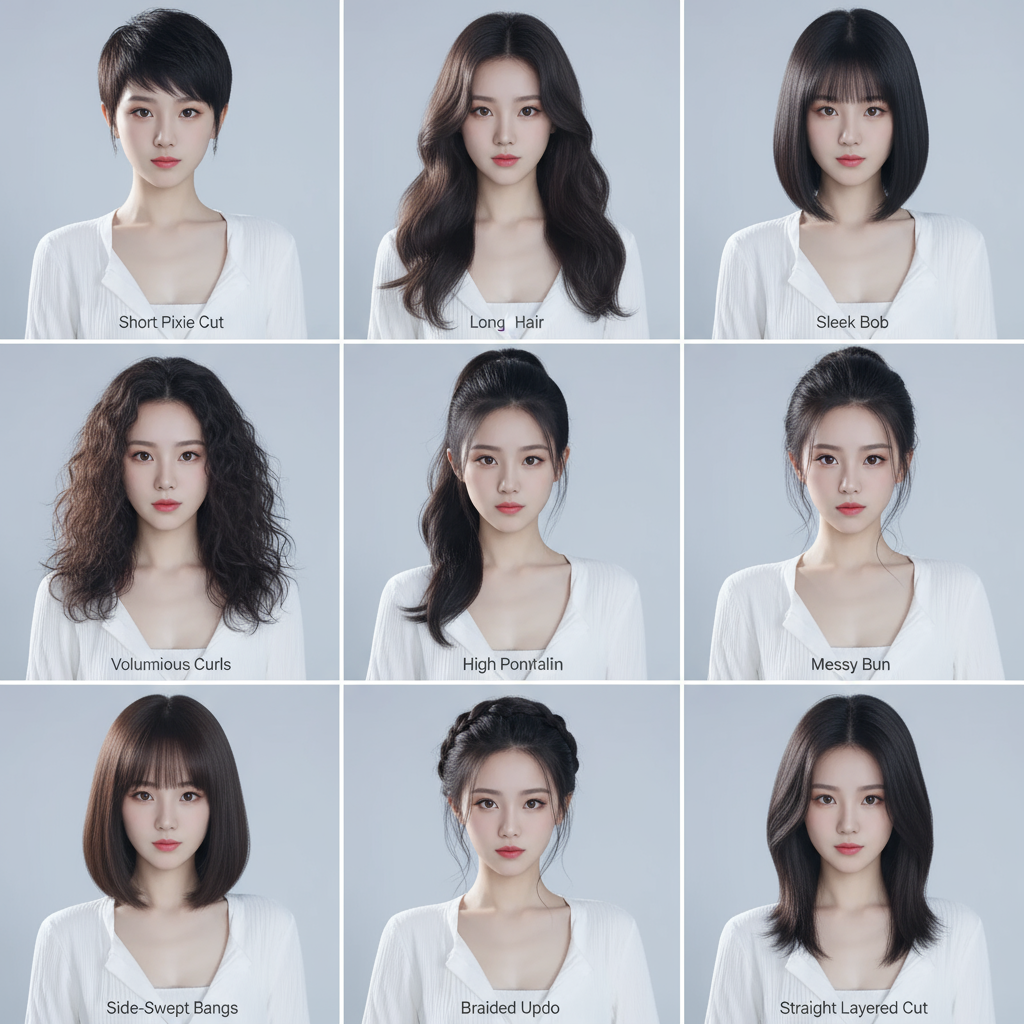
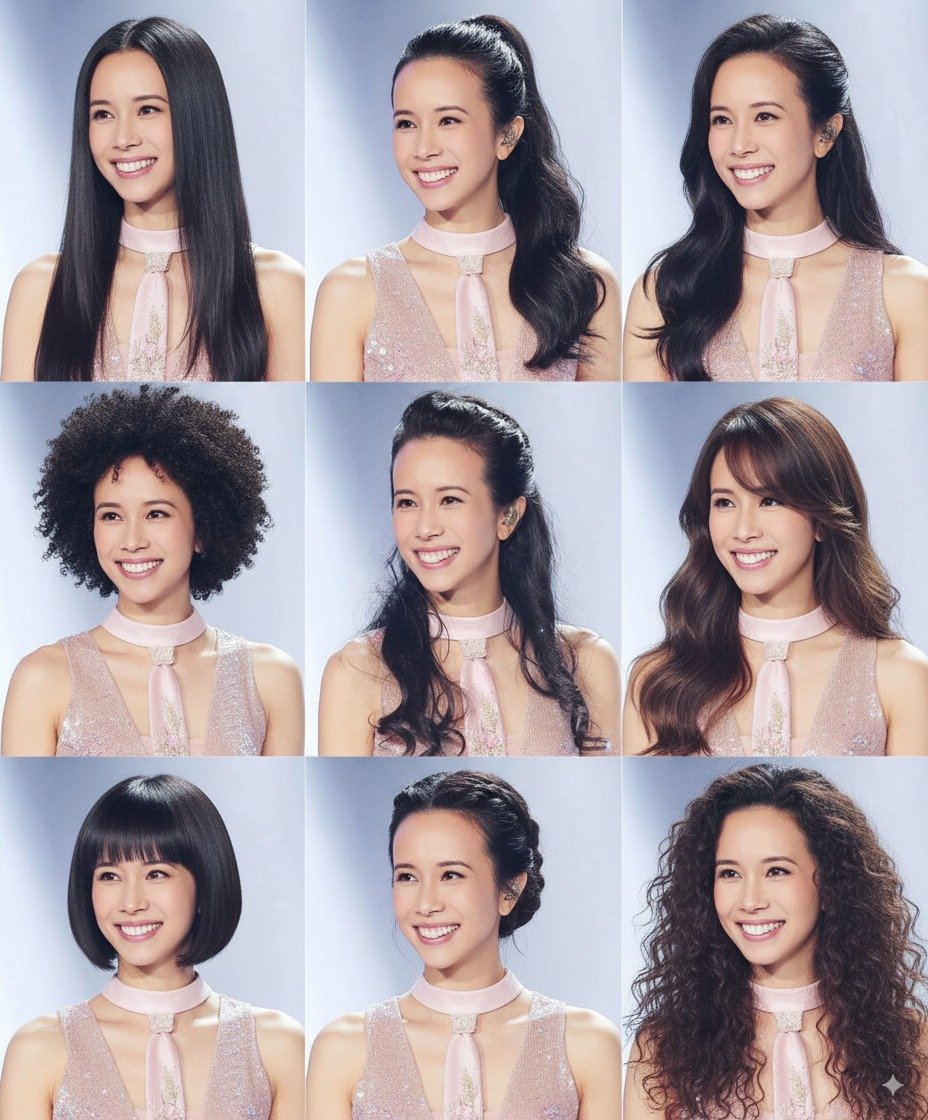
### 例0027:不同发型九宫格展示
> **提示词:**
>
> A professional hairstyle showcase based on the input image of a person's upper body and face, displaying the character with nine distinct hairstyles arranged in a clean, grid-like layout (3x3 grid) on a single image. Each hairstyle replaces the original hair while preserving the person's facial features, skin tone, and clothing details from the input image. The hairstyles include a variety of styles: short pixie cut, long wavy hair, sleek bob, voluminous curls, high ponytail, messy bun, side-swept bangs, braided updo, and straight layered cut, each rendered with realistic textures and natural lighting. The background is a consistent, neutral color (pure white or light gray) to emphasize the hairstyles and maintain a polished, professional look suitable for hairstyle selection. Subtle labels beneath each hairstyle indicate the style name for clarity.
{% hint style="info" %}
**需上传人物上半身照片**
{% endhint %}
{% columns %}
{% column %}
{% endcolumn %}
{% column %}
{% endcolumn %}
{% endcolumns %}
***
### 例0026:电商服装OOTD穿搭拆解
> **提示词:**
>
> A professional e-commerce fashion showcase featuring the original character from the input image alongside a decomposed breakdown of their outfit, presented in a clean, studio-style layout under a single, consistent background color (pure white or light neutral gray) for a fresh and cohesive look. On one side, display the full-body view of the character in their complete outfit, retaining exact posture, clothing details, colors, and textures from the original image. Adjacent to it, decompose the outfit into individual pieces (e.g., top, bottom, jacket, shoes, accessories), each clearly displayed in an organized, grid-like or labeled format with high-definition close-ups. All elements are seamlessly integrated under the same background color to maintain a polished, catalog-style aesthetic. Subtle annotations or labels highlight each clothing item, ensuring clarity and suitability for online retail platforms.
{% hint style="info" %}
**需上传服装照片**
{% endhint %}
{% columns %}
{% column width="41.66666666666667%" %}
{% endcolumn %}
{% column width="58.33333333333333%" %}
{% endcolumn %}
{% endcolumns %}
***
### 例0025:电商服装OOTD穿搭拆解
> **提示词:**
>
> A professional e-commerce fashion showcase featuring the clothing worn by the character from the input image, presented in a clean, studio-style setting. The outfit is decomposed into individual pieces (e.g., top, bottom, jacket, shoes, accessories), each clearly displayed and arranged in an organized, visually appealing layout. Each clothing item retains the exact design, color, texture, and details from the original image, showcased with crisp lighting and high-definition clarity. The background is minimalistic, white or neutral, to emphasize the clothing details, suitable for an online retail platform. The presentation includes subtle annotations or labels for each item, ensuring a polished, catalog-style look for wear and styling inspiration.
{% hint style="info" %}
**需上传服装照片,简洁干净的零售展示**
{% endhint %}
***
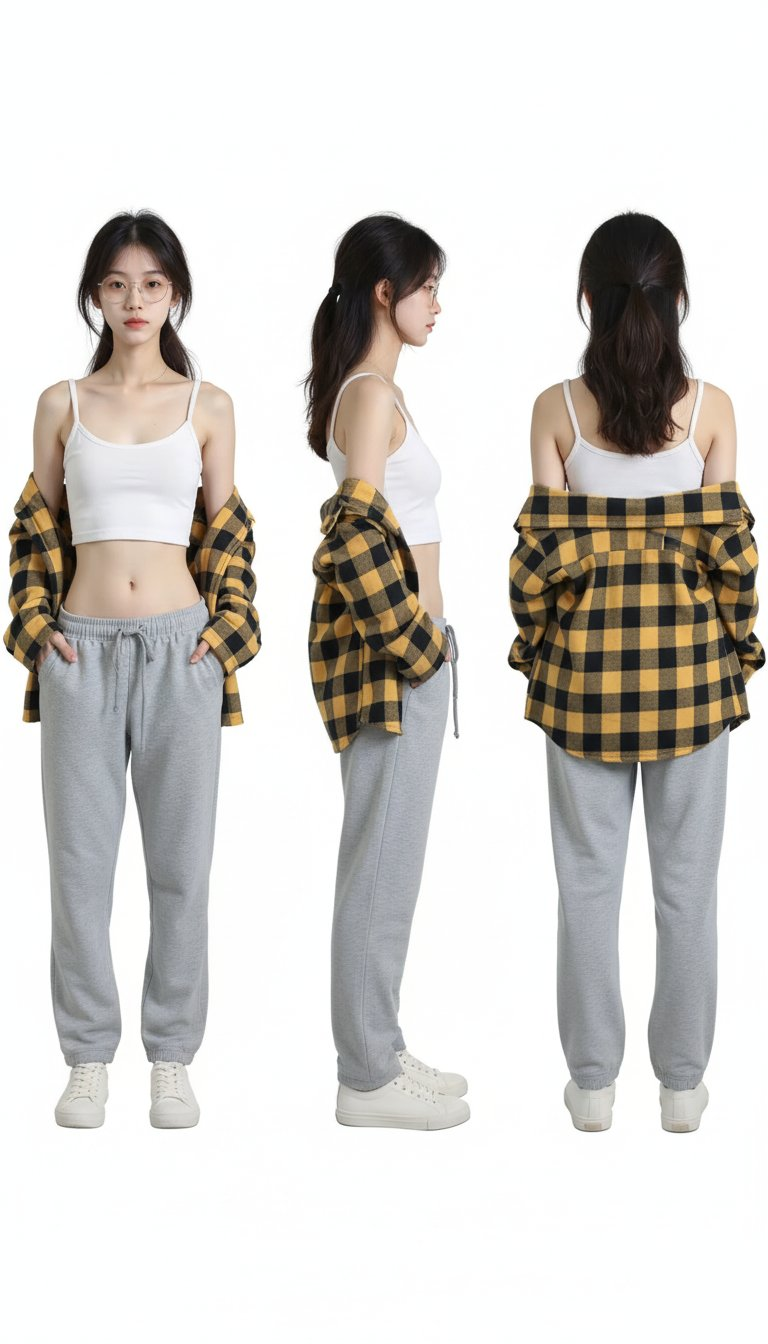
### 例0024:人物三视图
> **提示词:**
>
> a 3-view orthographic drawing of a young woman from a photo, showing front, right side, and back views. Realistic photo style, professional character sheet style, on a white background
{% hint style="info" %}
**需上传人物图片**
{% endhint %}
{% columns %}
{% column %}
{% endcolumn %}
{% column %}
{% endcolumn %}
{% endcolumns %}
***
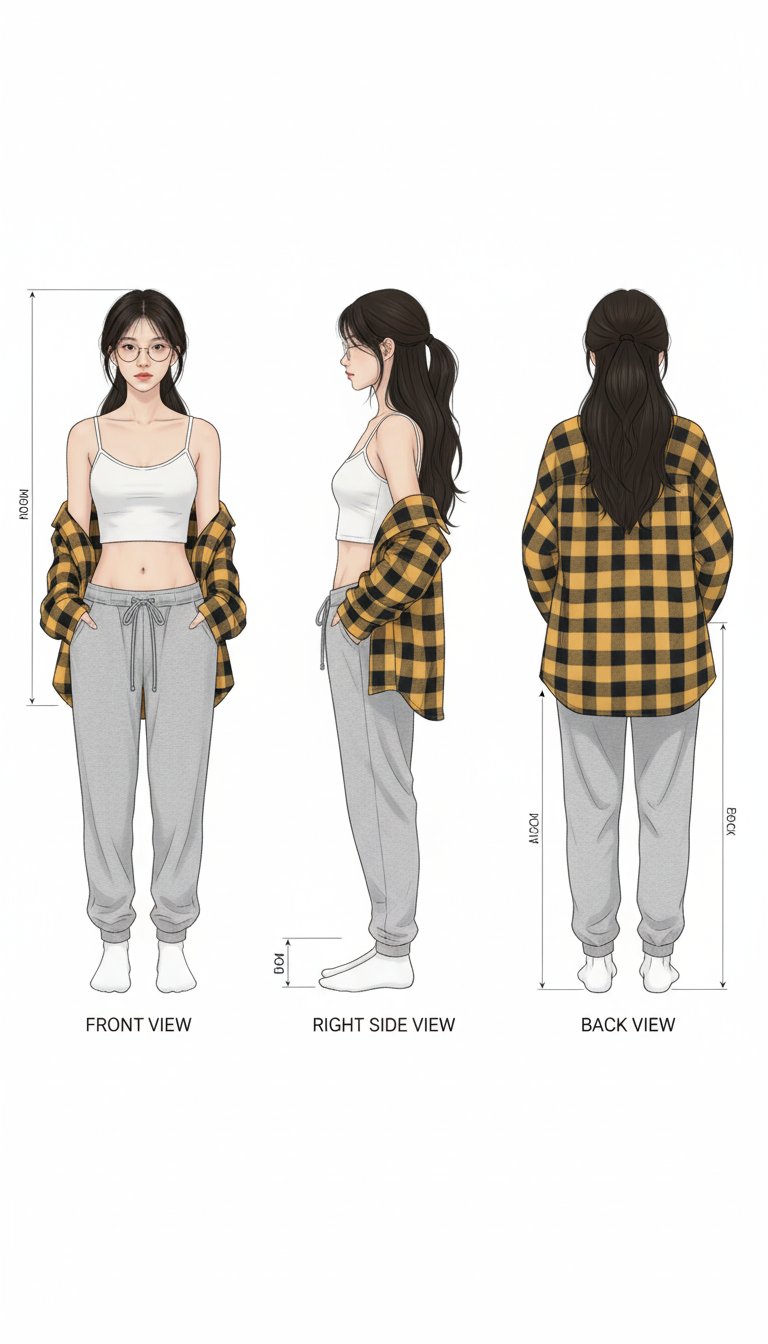
### 例0023:人物三视图插画
> **提示词:**
>
> a 3-view orthographic drawing of a young woman from a photo, showing front, right side, and back views. Realistic rendering, professional character sheet style, on a white background
{% hint style="info" %}
**需上传人物图片**
{% endhint %}
{% columns %}
{% column width="50%" %}
{% endcolumn %}
{% column width="50%" %}
{% endcolumn %}
{% endcolumns %}
***
### 例0022:照片转人物模型
> **提示词:**
>
> turn this photo into a character figure. Behind it, place a box with the character’s image printed on it, and a computer showing the Blender modeling process on its screen. In front of the box, add a round plastic base with the character figure standing on it. set the scene indoors if possible. If the original photo does not include the character’s full body, generate a complete character figure with appropriately designed legs that match the style and proportions of the visible parts of the character, ensuring a natural and cohesive appearance.
{% hint style="info" %}
**需上传人物图片,Blender 建模盒 - 塑料底座 - 室内 - 全身设计**
{% endhint %}
{% columns %}
{% column %}
{% endcolumn %}
{% column %}
{% endcolumn %}
{% endcolumns %}
***
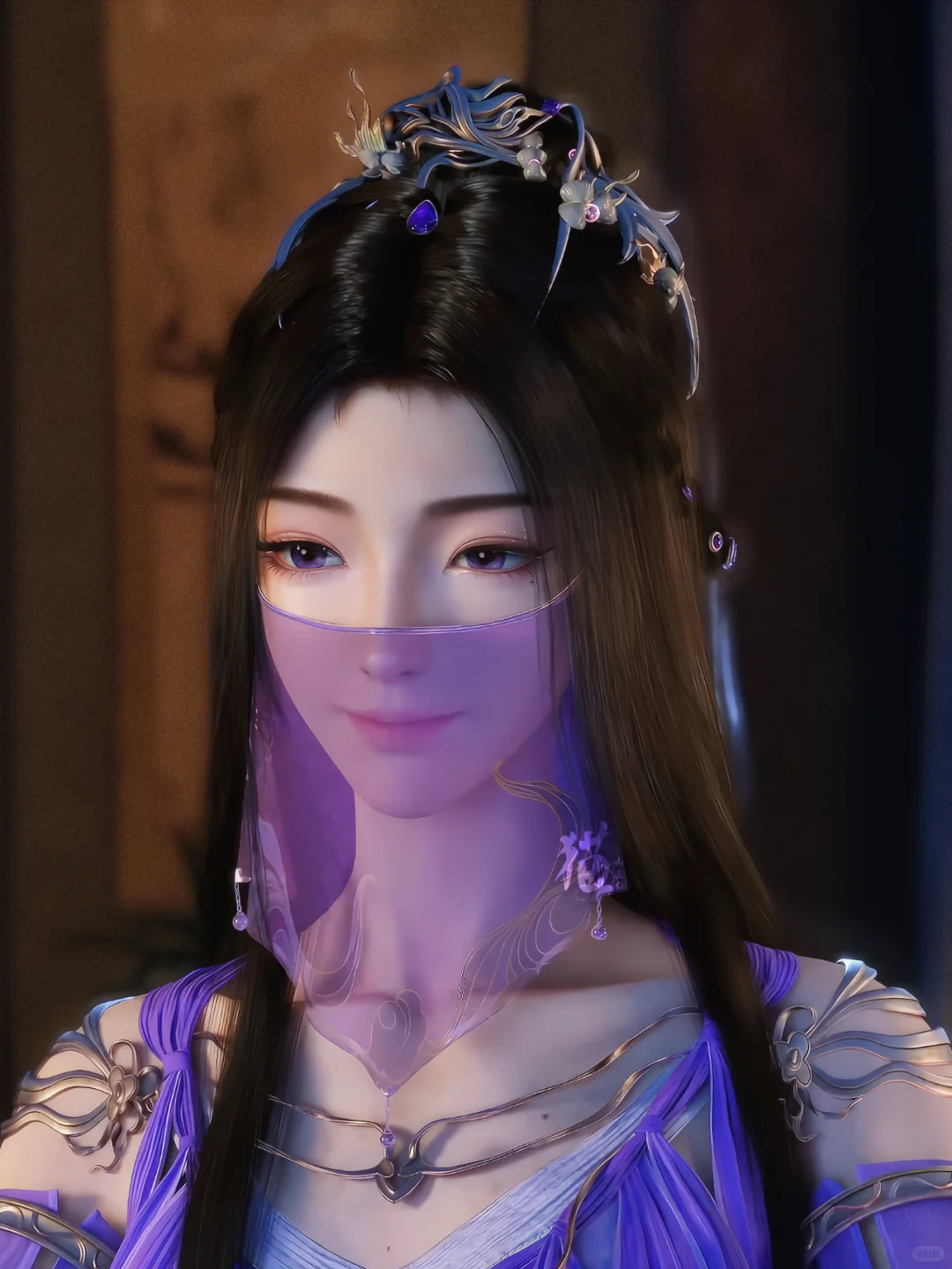
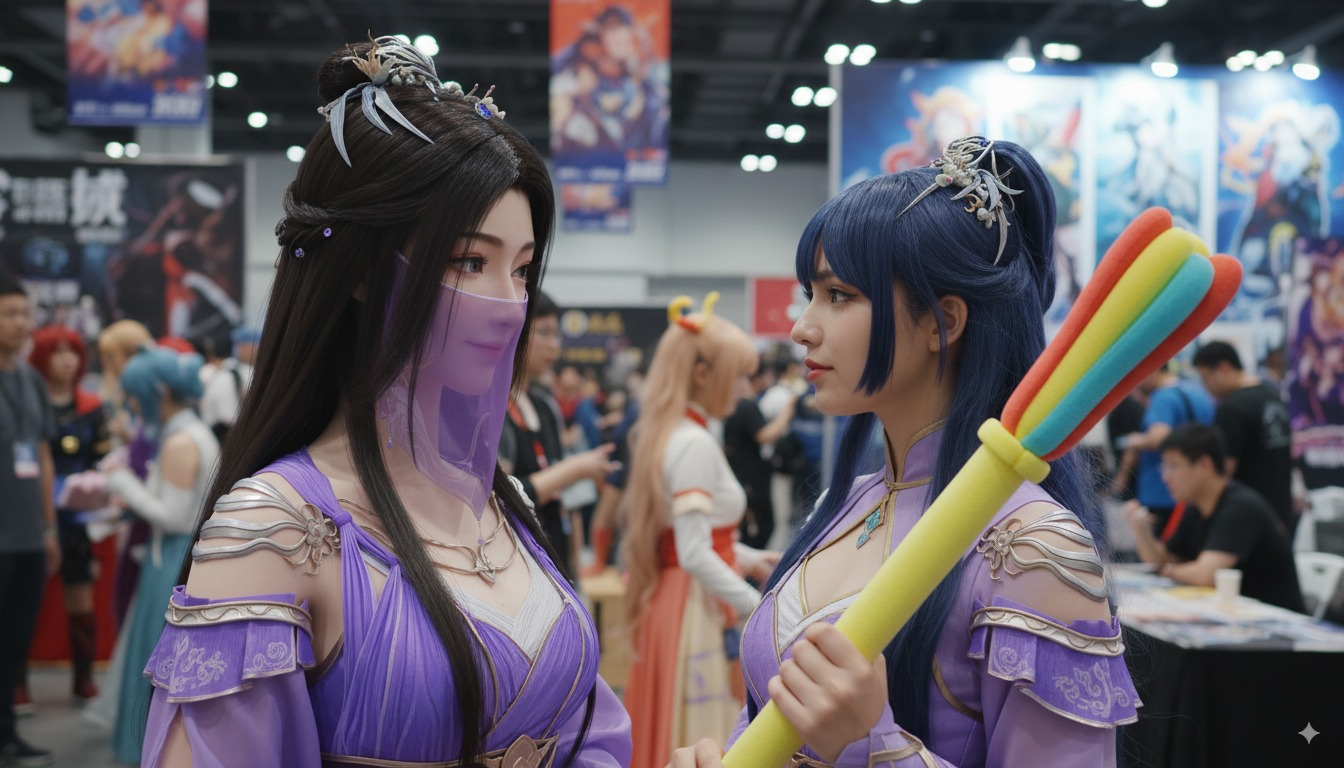
### 例0021:漫画人物与Cosplayer在展会上相遇
> **提示词:**
>
> A lively comic convention scene with a bustling real-world environment, featuring the original manga-style character from the input image, retaining her exact colorful design, unique art style, and distinct features (including her specific hair color, outfit, and expression). The character remains a vibrant, non-realistic manga-style figure, not a 2D flat plane but preserving her original artistic depth and color palette. She stands in a crowded convention hall with colorful cosplay booths and attendees. Facing her is a cosplayer dressed in an identical outfit, mimicking her pose, both positioned at a 45-degree angle toward the viewer. The background is a detailed, realistic comic convention with vivid colors, dynamic crowd, and cosplay elements, creating a surreal blend of the manga character’s vibrant, non-realistic style with a real-world setting. Emphasize the magical encounter between the manga character and her cosplayer counterpart.
{% hint style="info" %}
**需上传漫画人物图片**
{% endhint %}
{% columns %}
{% column width="33.33333333333333%" %}
{% endcolumn %}
{% column width="66.66666666666667%" %}
{% endcolumn %}
{% endcolumns %}
***
### 例0020:黑白漫画人物与Cosplayer在热闹的展会现场相遇
> **提示词:**
>
> A lively comic convention scene with a bustling real-world background, featuring a black-and-white manga-style character (based on the input image) standing in a vibrant, colorful cosplay event surrounded by crowds and detailed booths. The manga character retains her original comic art style, with distinct linework and expressive features, but rendered in a striking black-and-white monochromatic palette, avoiding any realistic human appearance. She faces a cosplayer dressed as her, mimicking her pose and outfit, both positioned at a 45-degree angle toward the viewer. The scene blends the surreal contrast of a black-and-white manga character in a vivid, realistic convention setting, with dynamic lighting, detailed crowd, and cosplay elements, emphasizing the magical encounter between the manga character and her real-world cosplayer counterpart.
{% hint style="info" %}
**需上传漫画人物图片**
{% endhint %}
{% columns %}
{% column width="33.33333333333333%" %}
{% endcolumn %}
{% column width="66.66666666666667%" %}
{% endcolumn %}
{% endcolumns %}
***
### 例0019:给手办穿衣服
> **提示词:**
>
> The character in Figure 2 is wearing the clothing and accessories from Figure 1.
{% hint style="info" %}
**需上传一张手办图片和衣服图片**
{% endhint %}